FeaturesMac app
The browser stays on your Mac
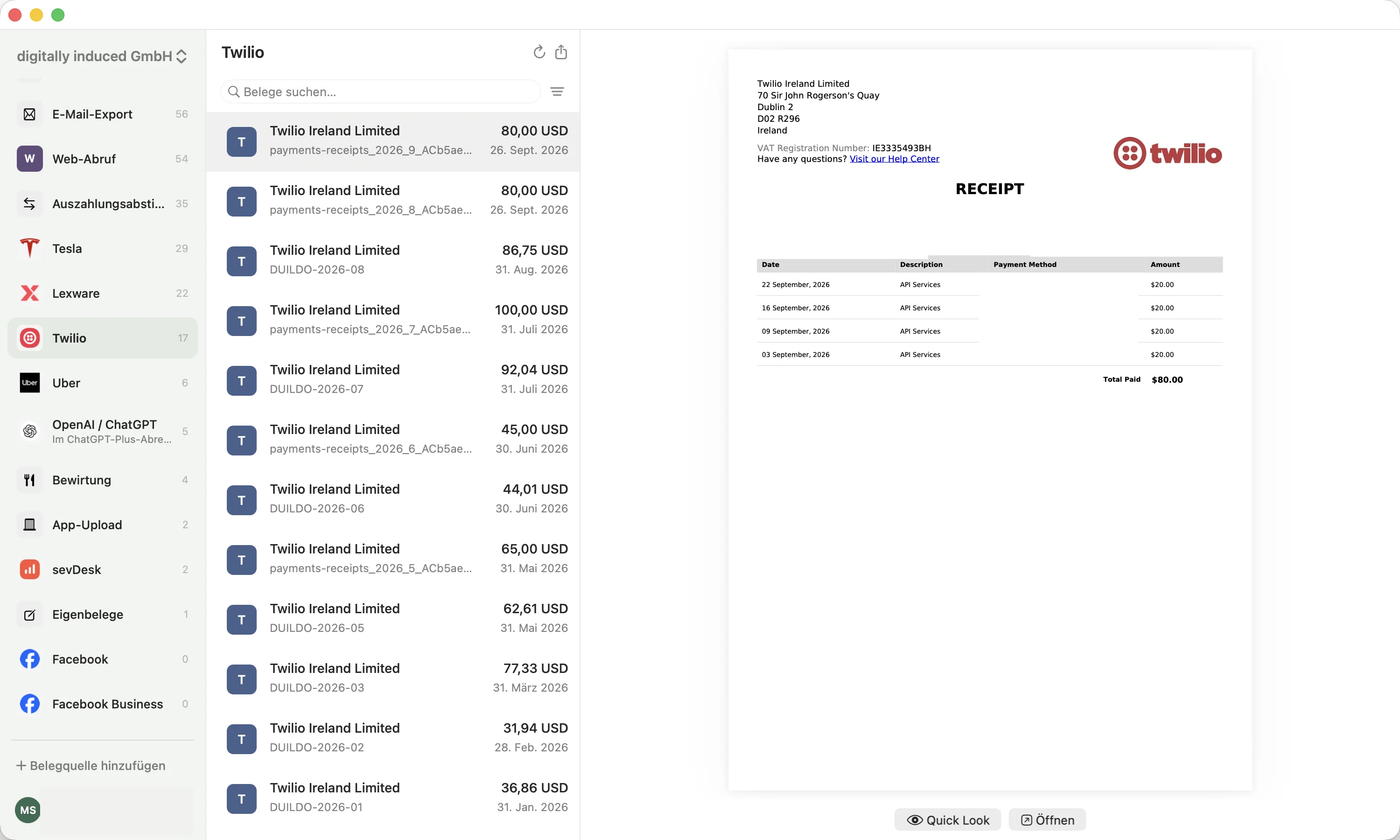
Some suppliers only show an invoice in a browser they already trust. The Mac app runs its own integrated browser on your machine, with a separate profile for each portal. It needs no extension and no Accessibility or Screen Recording permission; controlling Safari or Chrome instead is optional.
10 found receipts free · no credit card
The language of this page does not change the applicable law: meal and travel documents follow German rules.
What it does
Its own integrated browser
The agent fetches invoices in the app’s built-in browser and matches them to your payments. It needs no extension; controlling Safari or Chrome instead is optional and off by default.
Logins stay on your Mac
Each portal gets its own browser profile, and credentials stay on your Mac. Sign-ins come from a device the provider already knows, so two-factor is often not asked at all.
The app asks when it needs you
When a portal needs something only you can do, such as entering a code, the Mac app lets you know and you finish that step right in the app.
Installed from the Applications folder
Signed by us and notarized by Apple, for macOS 14 or later on Apple Silicon and Intel. Download it from your account, copy it to Applications and start it from there.
How it works
- 1
Create an account
Sign up for belege.ai; the same account signs you in to the Mac app.
- 2
Download the app
After signing in, download the Mac app from your account.
- 3
Install and connect portals
Copy it to Applications, start it from there and connect portals directly in the app.
Frequently asked questions
Does it have to run from Applications?
Yes. Started from Downloads or a disk image, the app asks you to copy it to Applications first and does not take on portal work until it runs from there. macOS permissions for the optional browser control also stay with the installed copy.
Is screen recording required?
No. The integrated browser needs neither Screen Recording nor Accessibility. Only the optional Safari or Chrome control needs Accessibility, for saving a PDF and for download dialogs; Screen Recording stays optional there too.
Is belege.ai an invoicing program for the Mac?
No. belege.ai finds receipts and matches them to your payments; you keep writing invoices and booking in your accounting software.
Can I connect Gmail locally on the Mac?
Yes. The Mac app connects directly to Gmail; tokens and full emails stay on your Mac. Recognized or selected PDF receipts are uploaded to belege.ai for processing. The Gmail connection needs internet access.
Does the automatic local check work on every Mac?
No. It needs macOS 26, supported hardware and Apple Intelligence. Without them, you select the PDF attachments yourself.
Done hunting for receipts.
Your first 10 found receipts are free, no credit card required. Subscribe afterwards.
Start free